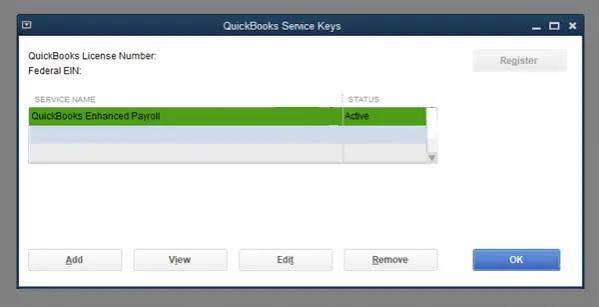
Payroll is one of the most important responsibilities for any business with employees. Paying your workforce accurately and on time helps maintain trust, supports employee satisfaction, and ensures your business operates smoothly. QuickBooks offers payroll features that simplify the process of managing employee payments, deductions, tax information, and payroll records in one place.
Setting up payroll correctly from the beginning is essential for accurate pay calculations and organized financial records. While the process may seem detailed at first, taking the time to enter the correct information and review your payroll settings can save you from errors later.
Why Is Payroll Setup Important?
A properly configured payroll system helps businesses manage employee compensation efficiently while maintaining accurate financial records.
A good payroll setup allows you to:
- Manage employee payments accurately
- Maintain organized payroll records
- Track employee earnings
- Record payroll expenses
- Monitor payroll history
- Reduce payroll mistakes
- Improve bookkeeping accuracy
- Simplify financial reporting
Starting with the correct payroll settings creates a strong foundation for future payroll processing.
Gather Employee Information
Before setting up payroll, collect all the necessary employee details.
This information may include:
- Employee names
- Contact information
- Job titles
- Payment preferences
- Employment start dates
- Tax-related information
- Salary or wage details
- Work schedules
- Banking information for direct payments
- Leave and benefit information
Having accurate employee records helps make payroll setup easier and more reliable.
Configure Business Information
- Your business information should be reviewed carefully before payroll is activated.
- Ensure your company details are accurate so payroll records remain organized and consistent.
- Verify your business name, address, and other company information before continuing.
Set Up Payroll Preferences
- QuickBooks allows you to configure payroll preferences based on your business requirements.
- These preferences determine how payroll information is organized and processed.
- Review each available option carefully before completing the setup.
- Choosing appropriate payroll settings from the beginning reduces the need for future adjustments.
Add Employee Records
- Create individual employee profiles by entering accurate personal and employment information.
- Each employee record should include the details necessary for payroll processing and record keeping.
- Review every employee profile carefully before saving it.
- Maintaining complete employee records improves payroll accuracy.
Enter Employee Payment Information
- Specify how each employee will receive payment.
- Carefully verify payment information to ensure employees are paid correctly and on time.
- Review payment details regularly whenever employee information changes.
Configure Pay Schedules
- Pay schedules determine how frequently employees receive their earnings.
- Choose pay schedules that match your business policies and apply them consistently across employee records where appropriate.
- Clear pay schedules help maintain organized payroll processing.
Review Employee Compensation
- Enter each employee’s compensation information accurately.
- This may include salary, hourly wages, bonuses, commissions, or other forms of earnings depending on your business.
- Accurate compensation records are essential for reliable payroll calculations.
Configure Payroll Deductions
- If deductions apply to your employees, review and configure them carefully during payroll setup.
- Accurate deduction settings help ensure payroll records remain organized and complete.
- Review these settings whenever employee information changes.
Review Payroll Categories
- Payroll categories help organize different types of earnings and deductions.
- Review the available categories and confirm that they reflect your business requirements.
- Well-organized payroll categories simplify payroll reporting.
Verify Payroll Settings
Before processing payroll for the first time, review every payroll setting.
Check:
- Employee information
- Payment details
- Compensation records
- Payroll preferences
- Pay schedules
- Deductions
- Business information
- Payroll categories
A careful review helps identify mistakes before payroll is processed.
Tips for Successful Payroll Management
Following a few simple habits can help maintain an efficient payroll system.
Keep Employee Information Updated
Review employee records whenever personal or employment details change.
Review Payroll Settings Regularly
Periodically checking payroll preferences helps maintain accurate payroll processing.
Maintain Organized Records
Well-organized payroll records simplify bookkeeping and reporting.
Create Frequent Backups
Regular backups help protect valuable payroll information.
Verify Payroll Before Processing
Carefully reviewing payroll details before each payroll cycle helps reduce mistakes.
Monitor Payroll Reports
Regular report reviews improve payroll accuracy and financial management.
Common Payroll Setup Mistakes to Avoid
Avoiding these common mistakes can help ensure a smooth payroll experience.
- Entering incorrect employee information
- Using inaccurate payment details
- Forgetting to review payroll preferences
- Overlooking deduction settings
- Failing to update employee records
- Skipping payroll report reviews
- Not creating backup copies
- Processing payroll without verifying employee information
Careful preparation significantly reduces payroll-related errors.
FAQs
What information do I need before setting up payroll in QuickBooks?
You should prepare employee names, contact details, payment information, compensation details, work schedules, tax-related information, banking details, and leave information before beginning the setup.
Why is payroll setup important?
Proper payroll setup helps ensure accurate employee payments, organized payroll records, reliable bookkeeping, and efficient payroll management.
Can I update employee information after payroll has been set up?
Yes. Employee records should be updated whenever there are changes to compensation, contact information, banking details, or employment status.
Why should I review payroll settings regularly?
Regular reviews help ensure payroll preferences remain accurate and reduce the likelihood of payroll processing errors.
How can I keep my payroll records organized?
Maintain updated employee records, review payroll reports frequently, create regular backups, verify payroll details before processing, and keep payroll preferences current to ensure accurate and organized payroll management.
Conclusion
Setting up payroll with QuickBooks is an important step toward managing employee compensation accurately and maintaining organized financial records. Although the setup process requires careful attention, taking the time to configure employee information, payroll preferences, payment details, and compensation records correctly will make future payroll processing much more efficient.
